Kit Fox

Moderator
Moderator
Joined
Oct 16, 2006
Messages
1,289
Reaction score
38
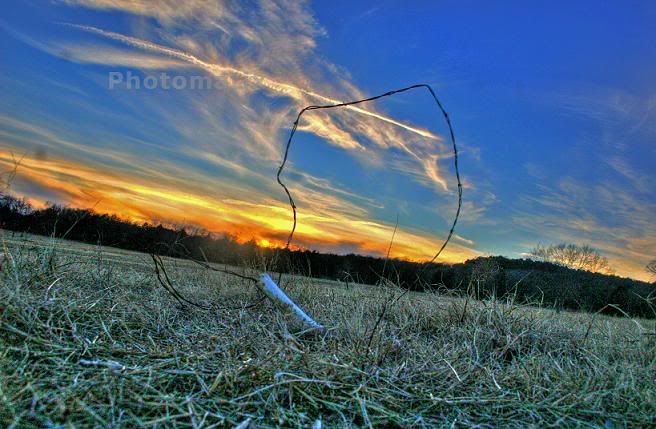
Playing with Photomatix software. This is a combination of three exposures. Properly exposed "0EV," Underexposed two stops "-2EV," and Overexposed two stops "+2EV." For fun, I opted for the "Grunge Effect" option.

The program can be found here: HDR photo software & plugin - Tone Mapping, Exposure Fusion & HDR Imaging for photography

4038304945_f4c9ca7761_b.jpg
 

Kit Fox

Moderator
Moderator
Joined
Oct 16, 2006
Messages
1,289
Reaction score
38
Nice Job cindog! (I just added you as one of my contacts on Flickr)

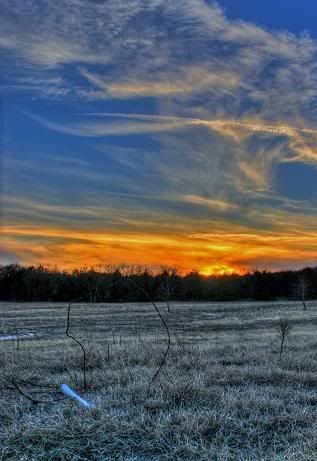
I did another version of an HDR using the same three exposures. This time, I did not use Photomatix, only Photoshop CS2's Merge to HDR function.

4052119141_d67e5d426b_b.jpg
 

Kit Fox

Moderator
Moderator
Joined
Oct 16, 2006
Messages
1,289
Reaction score
38
I think i'm getting the hang of HDRs, here are my latest images.

Rockpile located within Red Rock Canyon California

4124069460_742ddacaaa_b.jpg


Red Cliffs Preserve, same park.

4123262581_5f00b51517_o.jpg
 

Chenango Dave

Well-known member
Joined
Jul 30, 2006
Messages
333
Reaction score
0
Looks like you are getting the hang of it ...
That last one is killer.
 

Chenango Dave

Well-known member
Joined
Jul 30, 2006
Messages
333
Reaction score
0
Nice Kitfox - that flower one looks like it'll jump right out at ya...
 

Ridn9high

Moderator
Moderator
Joined
Sep 21, 2004
Messages
1,710
Reaction score
51
Nice photos guys!

I have been wanting to try something new and different to change up my pictures. I was out scouting yesterday for ducks and decided to shoot some photo's before I headed to the house.

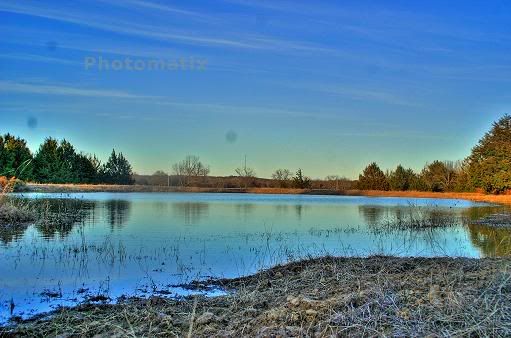
First time trying HDR photography and still have a lot to learn about it. Here is a couple shots I have played with. I will be spending many hours behind the camera and on the computer to try and master this fun and fine art.


test2.jpg


test1.jpg


test.jpg
 

Kit Fox

Moderator
Moderator
Joined
Oct 16, 2006
Messages
1,289
Reaction score
38
Very nice shots ridn9high. I don't like the results from the "Details enhancer" they make the pictures look too "fake." Whenever I use Photomatix now, I only use "Tone Compressor" because the results are far more natural. Once I process the HDR, I save my results, and open the images in Photoshop CS2. I apply a Curves adjustment on a "mid tones" luminosity mask to "seal the deal."

Some of my latest HDRs:

http://farm3.static.flickr.com/2792/4302645544_7fb85a2f4d.jpg

4302645544_7fb85a2f4d.jpg


http://farm3.static.flickr.com/2762/4301895983_44f218a48a.jpg

4301895983_44f218a48a.jpg
 

Latest Posts

QRCode

QR Code
Top Bottom