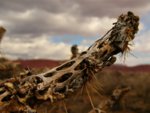
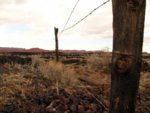
These pics are as is. No editing has been done.
Panasonic fz-10
I don't remember my settings?
I think I had it on Macro auto, but I also took a bunch of pics in manual mode.
I haven't been able to figure out how to get all thoes details.
Maybe you can help. I'm running PS. Elements
I have already deleated them from my card, so I can't go there???
For some reason I have one pic that will not load from my hard drive??? I've tried everything but can't figure it out. The others loaded just fine. I've tried a smaller size and that didn't work either so, here is a link to see it if you want to have a look see.
For thoes that look at any of my pics please give me feedback. I'm new to this photography stuff but am enjoying it emensly. Give me hints and tips on how or what I can improve on. I can take critisizem just fine so let me have it.
All in all, I thin my pics are comming along just fine and I like what I see. There are a few that I would change but all in all I think I'm on the right track.
To see your settings, you need to view the "exif" data, which is embedded in the jpeg file (if you "save for web" it strips this information off though). Photoshop Elements has something like "view photo information". The way I do it is after I drag and drop the photo on the computer, right click on the original .jpg, select Properties->Summary->Advanced >>
There are exif viewers available too. (you should be able to view it on the camera lcd too when reviewing photos)
This site uses cookies to help personalise content, tailor your experience and to keep you logged in if you register.
By continuing to use this site, you are consenting to our use of cookies.