clutchkiller

Well-known member
Joined
Dec 6, 2003
Messages
2,777
Reaction score
0
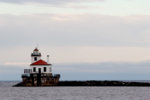
This is only a composition of three different exposures (I auto bracketed) so it isn't too spectacular... I like it though, it doesn't look flat like most of my images. I'm definitely going to try this again.

UntitledHDR00copy.jpg


edit- lol, you'll have to trust me... it looks much better full size, with more of a 3D feel.
 

clutchkiller

Well-known member
Joined
Dec 6, 2003
Messages
2,777
Reaction score
0
Well, well, well
<
. I did this completely wrong. I shouldn't have used auto-bracketed images because the dynamic range of three images is not enough for a good HDR. When you go from a file of 32 bits per channel down to a JPEG to much clipping occurs when you only use three images. Adobe suggest that you use five to seven images and on the Luminous Landscape they suggest using something like ten to fourteen
<
 

gil850

Well-known member
Joined
Jul 26, 2004
Messages
151
Reaction score
0
Clutch, even with just the 3 auto bracketed shots, it does make for a much nicer image than just one exposure. Still a very good image. What editing program are using to do this - I've been wanting to try this as well, just haven't gotten to it yet.

Gil
 

clutchkiller

Well-known member
Joined
Dec 6, 2003
Messages
2,777
Reaction score
0
Thanks Gil, I'm using Photoshop CS2. I just got back from taking some more images of the lighthouse (it's the only thing worth shooting around here), if my next attempt turns out any better I'll post the finished image. High Dynamic Range images really look amazing when done properly.
 

Hideandwatch

Well-known member
Joined
Jul 26, 2002
Messages
1,306
Reaction score
1
I am not this advanced in processing an image the way you are describing, but it sounds like you are are the right track and I enjoy hearing that someone is learning the way that you are. I think it is a great image of a lighthouse, but I kept looking at it and only for myself I kept seeing that something is wrong. i couldnt figure it out and I got to thinking about the composition of the shot. So I copied it and placed it in my software ps 7.0 and did a horizontal flip. It works for me now, others like yourself it may have worked for the other way. I hope you dont mind that I have done this, and if ya do just say so and I will delete it. I remeber learnig awhile back (a long while) about the three things to look for in composition, and I'll be darned if I can remember what the three things are...LOL..but I think this was one of them. I also remember something about the eye guiding from the left to the right...am I full of it? way so if I am. anyway here is what I have done.
 

Attachments

  • lighthouseflip_horizontal.jpg
    lighthouseflip_horizontal.jpg
    100.8 KB · Views: 5

clutchkiller

Well-known member
Joined
Dec 6, 2003
Messages
2,777
Reaction score
0
LOL Hideandwatch, that looks very funny to me having always seen the break-wall on the left (and I don't mind). I'm left-handed and always prefer images that lead from left to right... too bad the rest of the world doesn't see things the same way
<


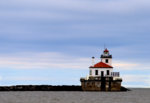
I tried the HDR merge again, this time using five out of the twenty bracketed images that I took today (I tried using ten at first but the merged image looked over-exposed). I think if you are going to try something like this, the subject of your image should be something that gives you a real sense of depth (unlike Lake Ontario, lol).

Here's the new image, I wish the sky wasn't washed out near the horizon.

UntitledHDR00copy-1.jpg
 

Hideandwatch

Well-known member
Joined
Jul 26, 2002
Messages
1,306
Reaction score
1
"I wish the sky wasn't washed out near the horizon".

I messed around for just a couple minutes in my software with this one. I like the way your last shot turned out, and since you mentioned that you didnt like the washed out near the horizon, do you accept manipulated shots or are you just looking for the perfect shot from the camera (no washout in the horizon)?

Here is what I came up with...acceptable?
 

Attachments

  • lighthouse2_a.jpg
    lighthouse2_a.jpg
    135.7 KB · Views: 19

clutchkiller

Well-known member
Joined
Dec 6, 2003
Messages
2,777
Reaction score
0
<div class='quotetop'>QUOTE (Hideandwatch @ Jan 13 2007, 08:11 PM) <{POST_SNAPBACK}></div>
I like the way your last shot turned out, and since you mentioned that you didnt like the washed out near the horizon, do you accept manipulated shots or are you just looking for the perfect shot from the camera (no washout in the horizon)?

Here is what I came up with...acceptable?[/b]

Now that is some nice Photoshop work Hideandwatch!!!
<
I can't see where you sampled the sky, how did you do that??? I understand about not getting in between the hand railing on a small image... it might not be too hard on the original.... And hell yes! It's acceptable
<


And on a side note: I used to think that the only good shots where those produced without any manipulation what so ever. Not so much anymore. I have a couple of books which were written by National Geographic photographers, there is a lot of doctoring of images in their magazines (even with film negatives).

In this months issue of their mag (Jan 07), there is an article about humming birds of the world. One photographer catches the birds and shoots them in a mini studio in the back of his SUV... it doesn't get more manipulated than that, lol.
 

Hideandwatch

Well-known member
Joined
Jul 26, 2002
Messages
1,306
Reaction score
1
[/quote]

I can't see where you sampled the sky, how did you do that???
[/quote]


Thanks clutch,
On this one I didnt take much time (only a couple minutes)...but the way I did it is with use of the "Magic Wand, and the "Clone Stamp". First I grabbed the "Magic Wand", I clicked the "Magic Wand" on the washed out area on the left of the shot, this gives you a dotted line outline of the washout. Now grab your "Clone Stamp" from the tool box. Adjust the "Clone Stamp" to about a size of 3/16" circle. Then place the mouse arrow on the upper side of the dotted lines created from the "Magic Wand", in the blue sky (color you want to clone). press "ALT" on the keyboard, and it will give you a crosshair now whee the mouse is, now left click while holding the "ALT KEY" down. Now move your tool with the mouse to the washout area and left click and drag across the wash below the dotted lines that the "Magic Wand" has created. Then grab the magic wand again and click on the area that is outlined (dotted lines) and this will free up the "Magic Wand". Now if your not happy with the result and you see areas that need color change repeat the"Magic Wand" in that area and grab the "Clone Stamp" again and repeat the steps. Cornfused? I tried doing a "print screen" to post it up, but I would have to add text to it because it does not copy the tools nor the outline that the "Magic Wand" creates. If you dont get my explaination, let me know and I will take the time to do that. If you make a mistake, go to EDIT at the top and click "Step Backward" and it will erase your mistake and leave all previous steps ie: if you accidently get the crosshairs on the lighthoue and it clones the lighthouse, then click EDIT and STEP BACKWARD and it will remove that step.
 

clutchkiller

Well-known member
Joined
Dec 6, 2003
Messages
2,777
Reaction score
0
Thanks a lot for the explanation Hideandwatch. I tried doing everything in your post, plus used the healing tool a little... this is what I came up with...

UntitledHDR00copy-2.jpg


edit- looking at them together, I think I like the way you added some of the cloud in the area that was washed-out before.... I'll keep trying.
 

Hideandwatch

Well-known member
Joined
Jul 26, 2002
Messages
1,306
Reaction score
1
That's pretty good for your first try...If you do one sweep in an area, then reclick another from above, if you dont like it you can step backward to remove it. I just blended the layers of clouds from above picking the shades I wanted to clone. Keep working with it and you will get better.
 

Latest Posts

QRCode

QR Code
Top Bottom