ranchwife

Well-known member
Joined
Sep 9, 2001
Messages
1,809
Reaction score
36
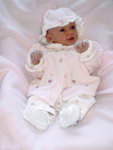
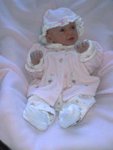
Our baby is 6 weeks old tomorrow and we have been taking pictures of her "life" on our digital camera - we only have a few pictures on regular film. Our camera is about 6 years old, so it isn't the newest technology. I downloaded all the pictures and saved them in JPEG format and transfered them to a floppy disk so I could take them to Wally's to have the pictures printed. The pictures turned out awful - they are so grainey that it is hard to see Elizabeth. You can see what looks like little squares (pixels?) all over the pictures. Is seems that the picture was enlarged too much to make a 4x6 print. I don't have any idea how to go about fixing the pictures so that they can be printed on 4x6 paper so that they don't turn out grainey and so we can actually see our baby. I have to work with the pictures in paint brush - we don't have any photo editing software. Can soneone offer me some help? I'm just sick :cryin blue:that we may have lost the first 6 weeks of pictures of our baby's life - we can't go back and redo them to regular film now. I'm even willing to buy some photo paper and have someone print them off for us (we don't have a printer to print off photos) - even if they are small prints (wallet size) . I just want the pictures to be somewhat clear so we can see her. Can someone please help us?


PS - I've included a picture just incase that will help someone figure out what I need to do to get a decent print.
 

Attachments

  • Elizabeth___Jacket_outfit_3.jpg
    Elizabeth___Jacket_outfit_3.jpg
    10.8 KB · Views: 0

Eric Mayer

Well-known member
Joined
Apr 2, 2001
Messages
728
Reaction score
0
Ranchwife,

Email me some RAW pictures and I will work on them tonight. When I say RAW, I mean the ones you took directly out of your camera when you uploaded them. Also, check what size you took them in. Most cameras have a setting where you can set to small, large or fine (with fine being the best).

You can email them to: ghosttown*nospam*photography@comcast.net (take out the *nospam* to get ghosttownphotography )

I'll let you know tonight.

Eric A. Mayer
<
 

Eric Mayer

Well-known member
Joined
Apr 2, 2001
Messages
728
Reaction score
0
Ranchwife,

I got your email asking me if I got the pictures. I didn't get them. I emailed back to have you try again, but I didn't hear back. I imagine you're pretty busy. Try emailing them again, one picture per email.

Thanks!

Eric A. Mayer
<
 

WildBird

Well-known member
Joined
Nov 12, 2002
Messages
394
Reaction score
0
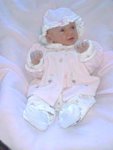
Ranchwife - I adjusted the one you posted. They really need to be edited and sized for printing before being done with the Wally World machines. I would be happy to help also if you want to send the original camera files to me.
 

Attachments

  • Baby_Redo.jpg
    Baby_Redo.jpg
    56.2 KB · Views: 0

Cloak N Dagger

Well-known member
Joined
Aug 11, 2002
Messages
1,833
Reaction score
0
Ranchwife,

Eric should be able to fix it if it can be done. If you need some cheap photo editing software, just take your camera to Wally world and ask them to put your pictures on a CD for you.( about $3 or $4) The CD will have your pictures PLUS some free photo editing software to download into your computer. It's called Microsoft Picture-It. It's not the best photo editing software out there, but it's better than what ya got. If the pictures were taken with low resolution, it's going to be hard to blow them up. Eric might have something to help.

I used the free Microsoft Picture-it to edit your picture, and this is what it looks like.
 

Attachments

  • post_49_1082571808.jpg
    post_49_1082571808.jpg
    15.2 KB · Views: 0

Latest Posts

QRCode

QR Code
Top Bottom